This AI caricature generator turns one photo into a drawing with a big head, a small body and your real smile. Upload the photo, pick one of ten styles and press the button. You can also add a job or hobby, and the picture then shows a fitting outfit and props. Two watermarked previews a day are free, and one credit buys the clean HD file.
By The Mugdoodle team (Product and testing). Last updated .
1. Your photo
JPG, PNG or WebP up to 12 MB
One or two people, faces toward the camera, good light.
The picture gets an outfit and props that fit. Leave it empty for a plain caricature.
We delete your photo as soon as the picture is made. Only upload photos of yourself or of people who agreed to it.
How the AI caricature generator works
First, upload one JPG, PNG or WebP photo of one or two people, up to 12 MB.
Then pick one of the ten styles in the picker.
Next, type a job or hobby if you want an outfit and props. You can also skip this step.
After that, press the button and wait for the watermarked preview.
Finally, download the preview, or spend one credit on the clean HD file.
Behind the button, the server shrinks a copy of your photo and sends it to an image model. A fixed prompt for your style goes with it, so you never write one yourself. That prompt asks the model to keep each person recognizable and to exaggerate in a friendly way. It also keeps your hairstyle, hair color, skin tone, glasses and facial hair.
The picture then comes back as a 1024 x 1280 px preview with a watermark. After that, the server forgets your photo. If you like the preview, one credit returns that same picture as a clean 2048 x 2560 px file. The model does not draw it again, so nothing changes between the preview and the file you buy.
One photo in, one caricature out
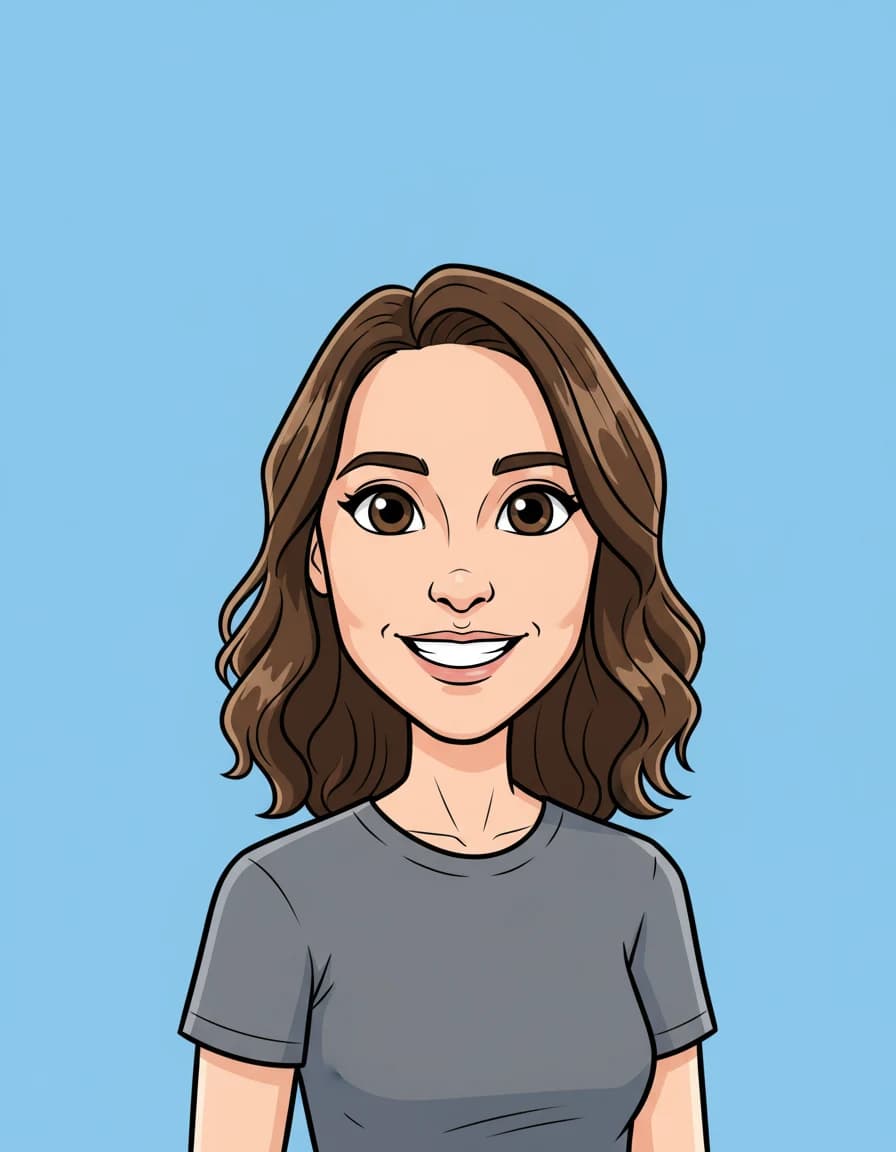
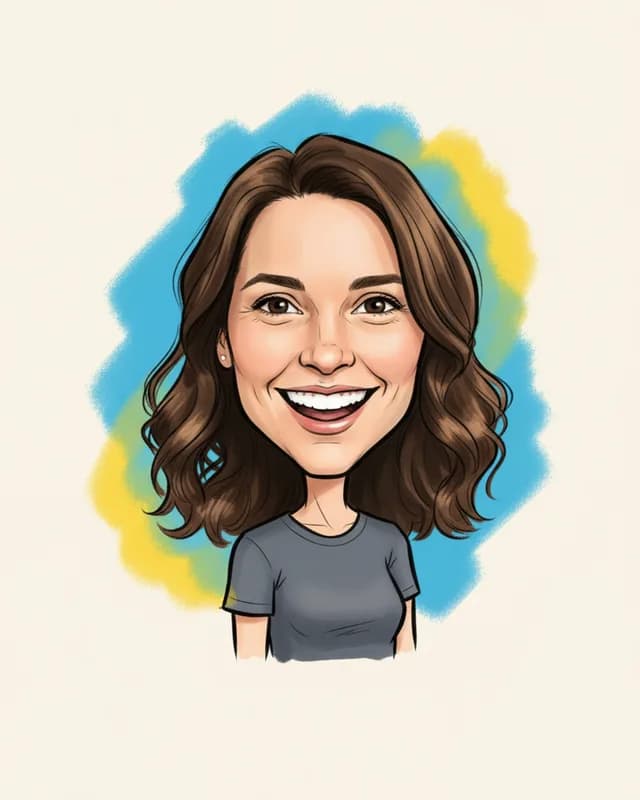
First, drag the line. On the left is our illustrative test photo of a woman by a window. On the right is the Cartoon drawing the AI caricature generator made from it, with bigger eyes, a bigger grin and the same wavy hair and gray T-shirt.
We only cropped the photo so her eyes sit where the drawing's eyes sit. The drawing itself is the file the model returned, untouched. An image model made the photo, so no real person is shown.

Six faces from one AI caricature generator
Each print below is a real file our prompts got back from the image model, drawn from one of three illustrative test photos. So scroll through what one upload can turn into.
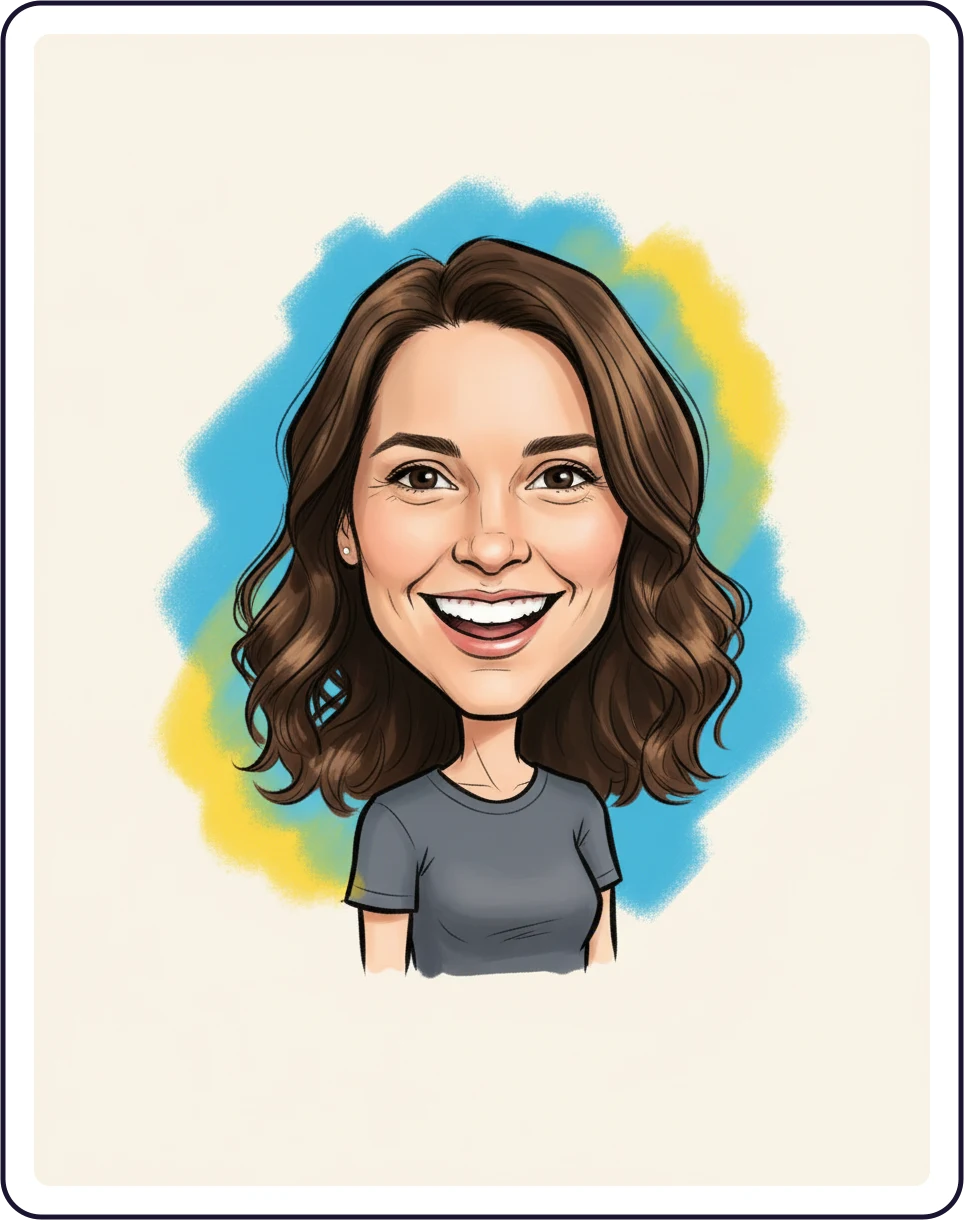

01Classic
The street fair look from an AI caricature generator
Confident black marker lines, a wide grin and a quick splash of blue and yellow behind the head. In short, the boardwalk caricature, drawn from our test photo with no prompt to write.
Learn more about The street fair look from an AI caricature generator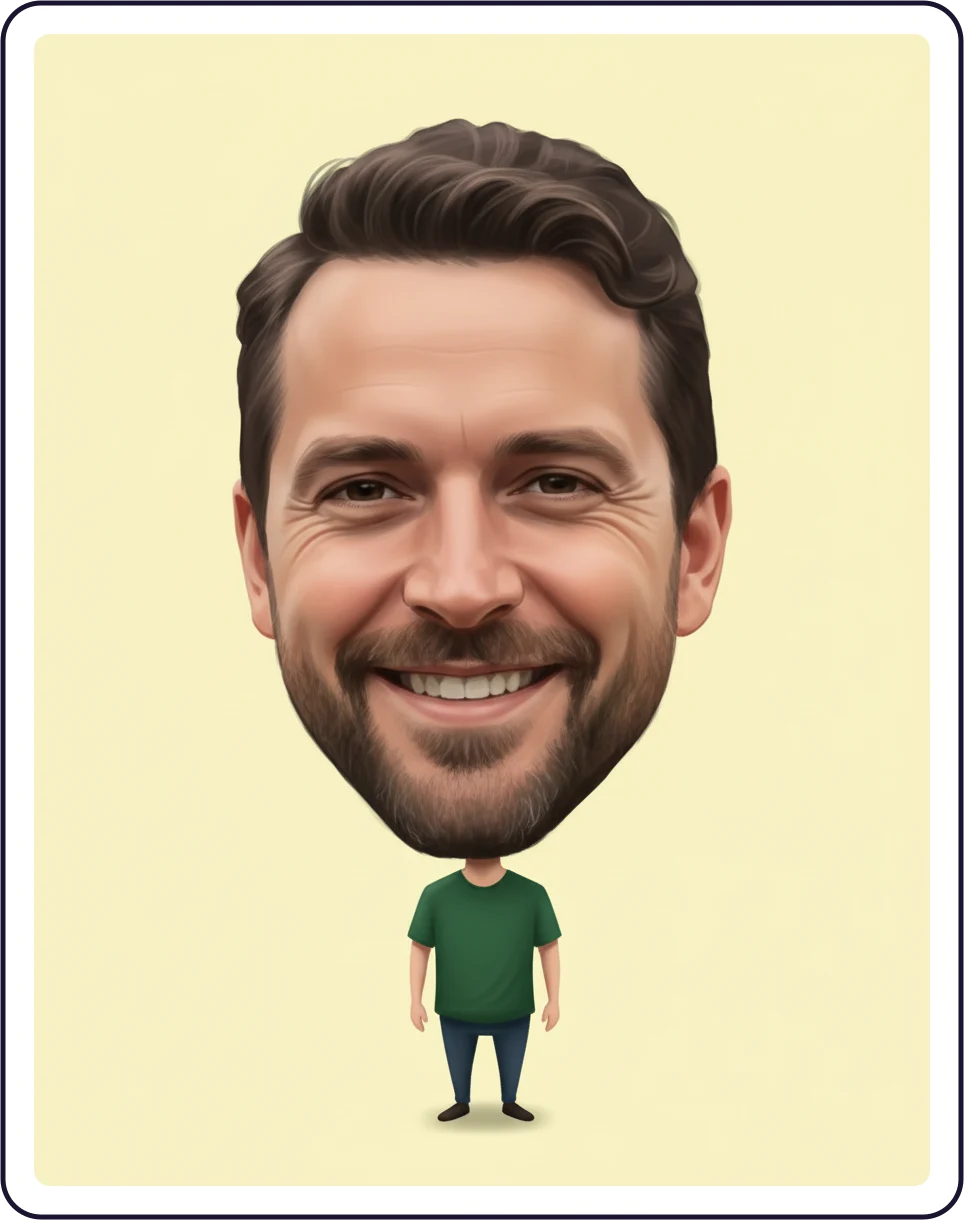

02Big head
A huge head on a tiny body
The head grows to about three times its size and stands on a very small body in front of pale yellow. It is the loudest push of the ten styles, and the face still reads as the same man.
Learn more about A huge head on a tiny body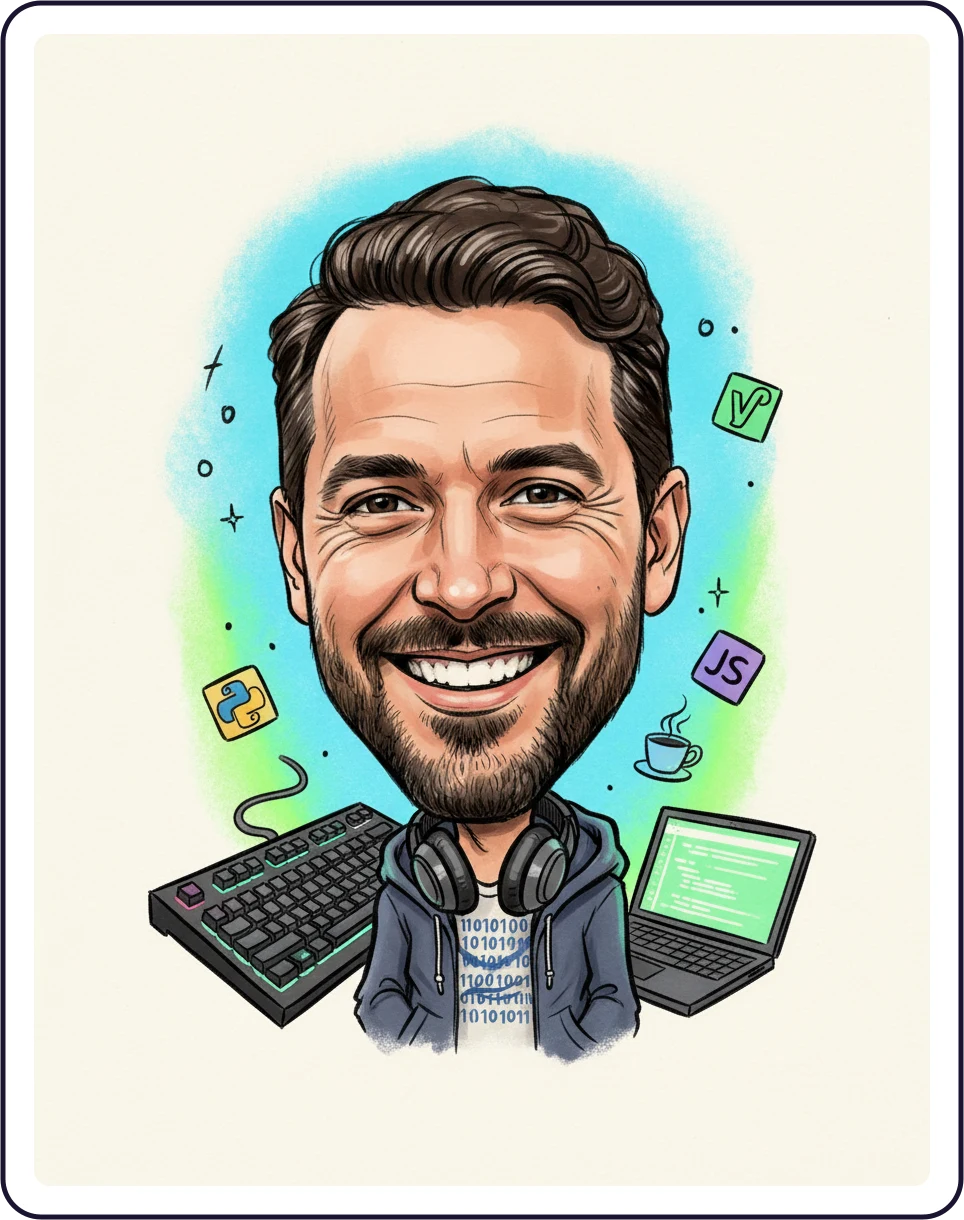

03Me and my job
Type a job, get the props
Here the theme box said software developer. So the Classic drawing came back with a keyboard, a laptop, headphones and a coffee cup. As a result, small symbols can appear on props, even though the prompt asks for no text.
Learn more about Type a job, get the props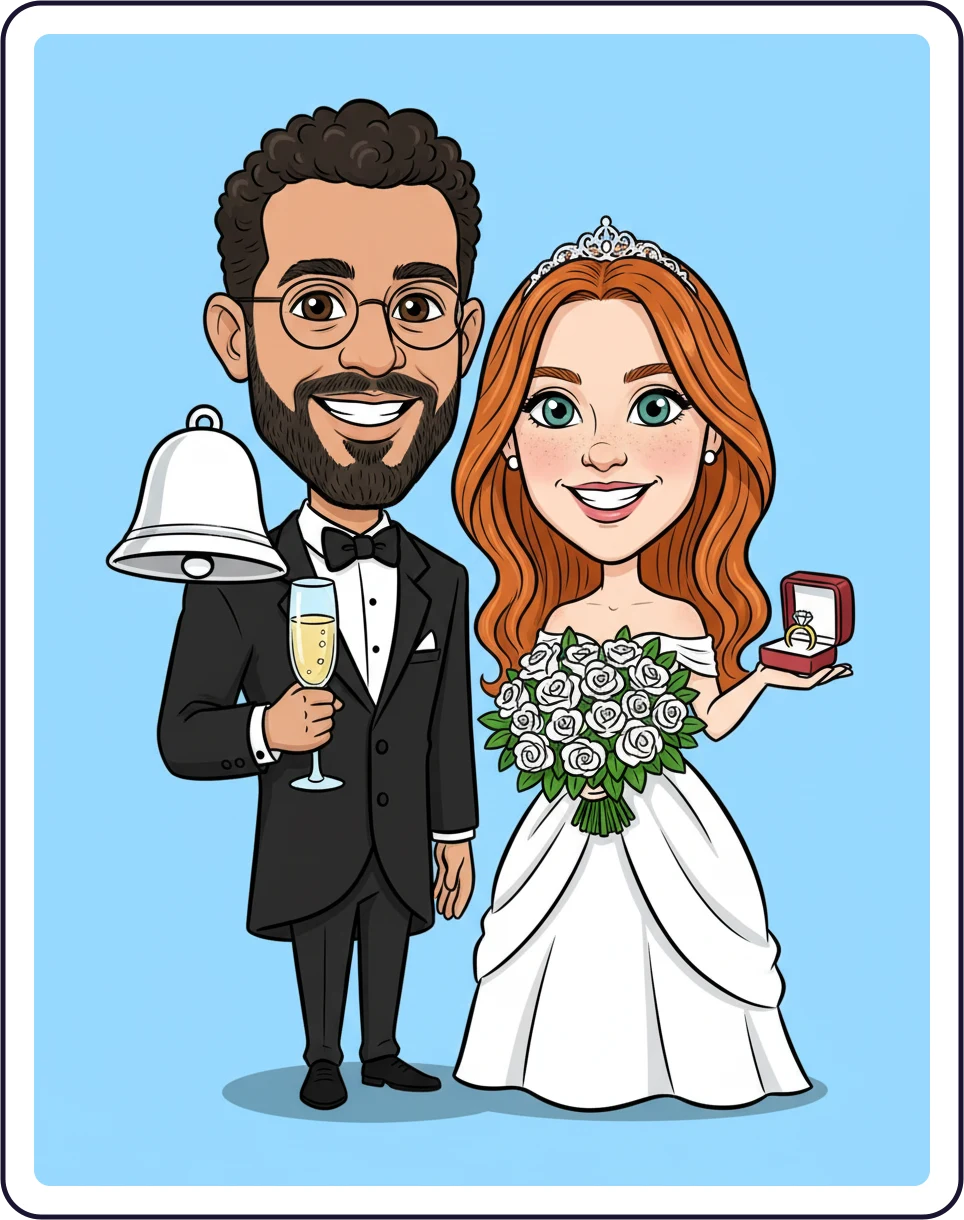

04Couples
Two people, one wedding drawing
One photo may hold two people, and the drawing keeps both. With the theme bride and groom, the Cartoon style added a tuxedo, a white dress, a bouquet and a ring box.
Learn more about Two people, one wedding drawing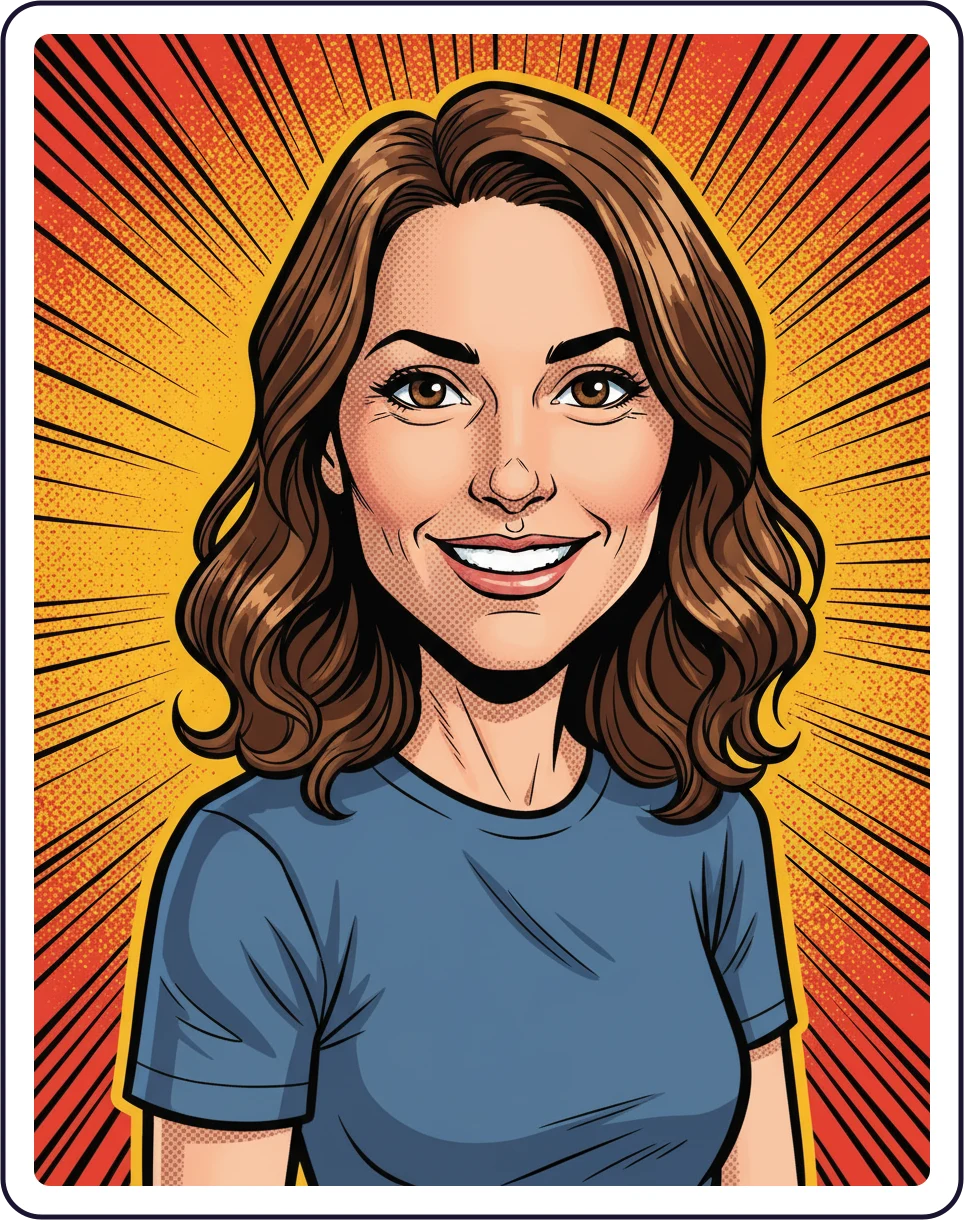

05Comic book
Heavy ink and an action burst
Bold ink outlines, halftone dots and orange action lines behind the figure. The same woman, now a comic book hero, without changing her hair, smile or T-shirt.
Learn more about Heavy ink and an action burst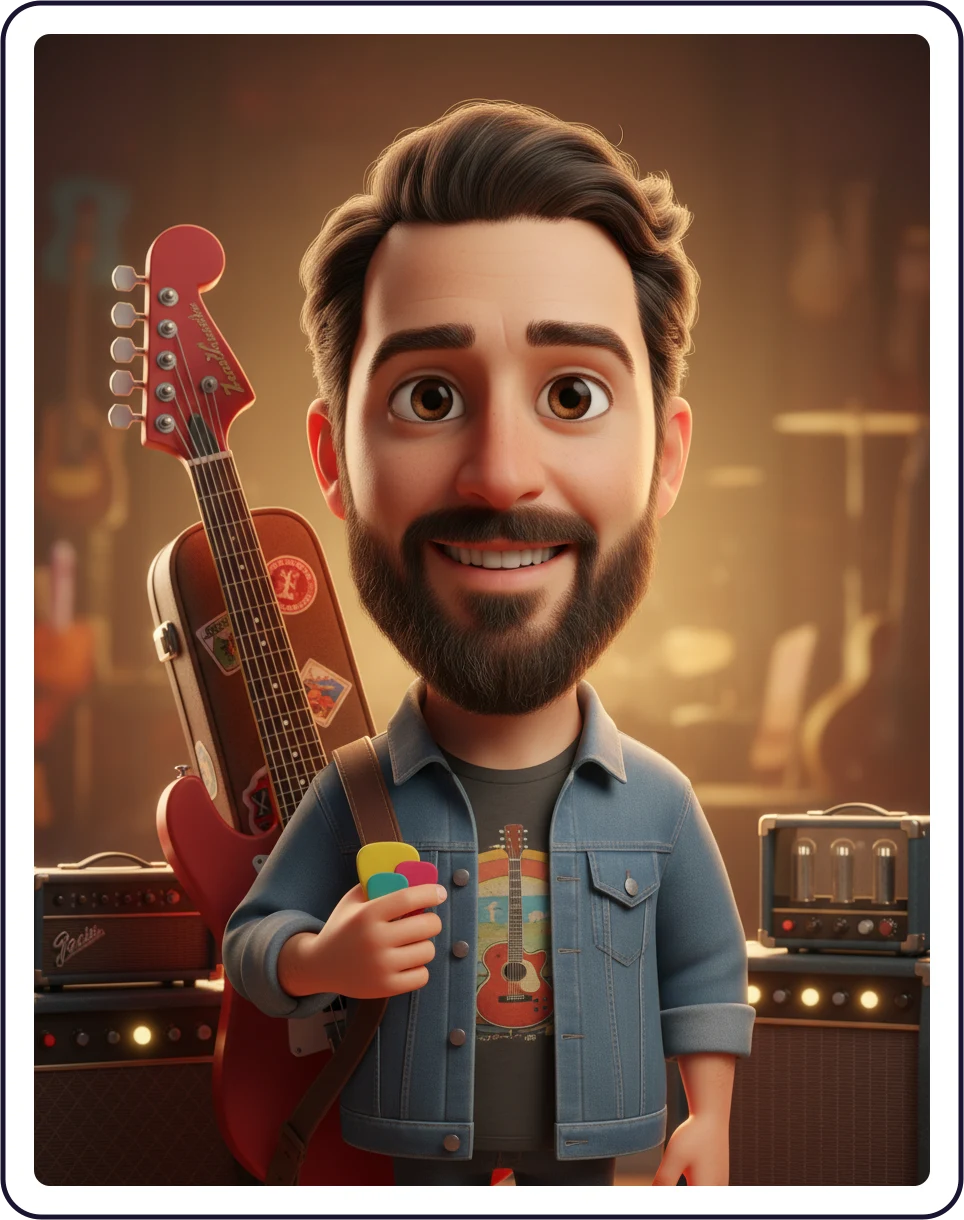

063D cartoon
An animated film star with a guitar
The 3D cartoon style with the theme guitar player: big glossy eyes, soft studio light, a red electric guitar and an amp behind him. However, the beard, the jacket and the grin stay his own.
Learn more about An animated film star with a guitar
Try the AI caricature generator on your own face
First, upload one photo and pick a style. Then check the free watermarked preview before you spend anything.
Gentle or loud, the push is yours
First, hover or tap a panel to open it. Each one shows the same test photo in another style and opens the page about that look.
Pencil sketch
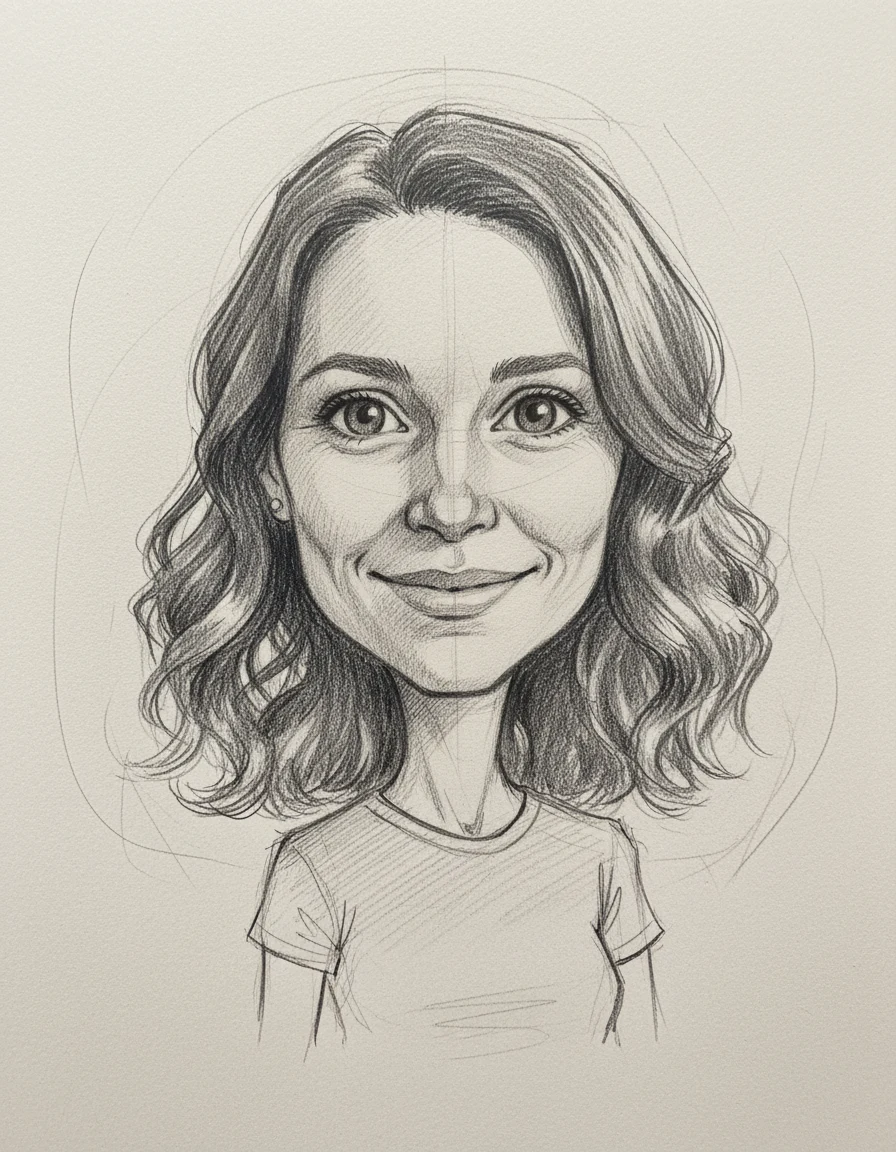
Graphite on cream paper, with hatching and loose construction lines. A gentle push that stays close to a portrait.
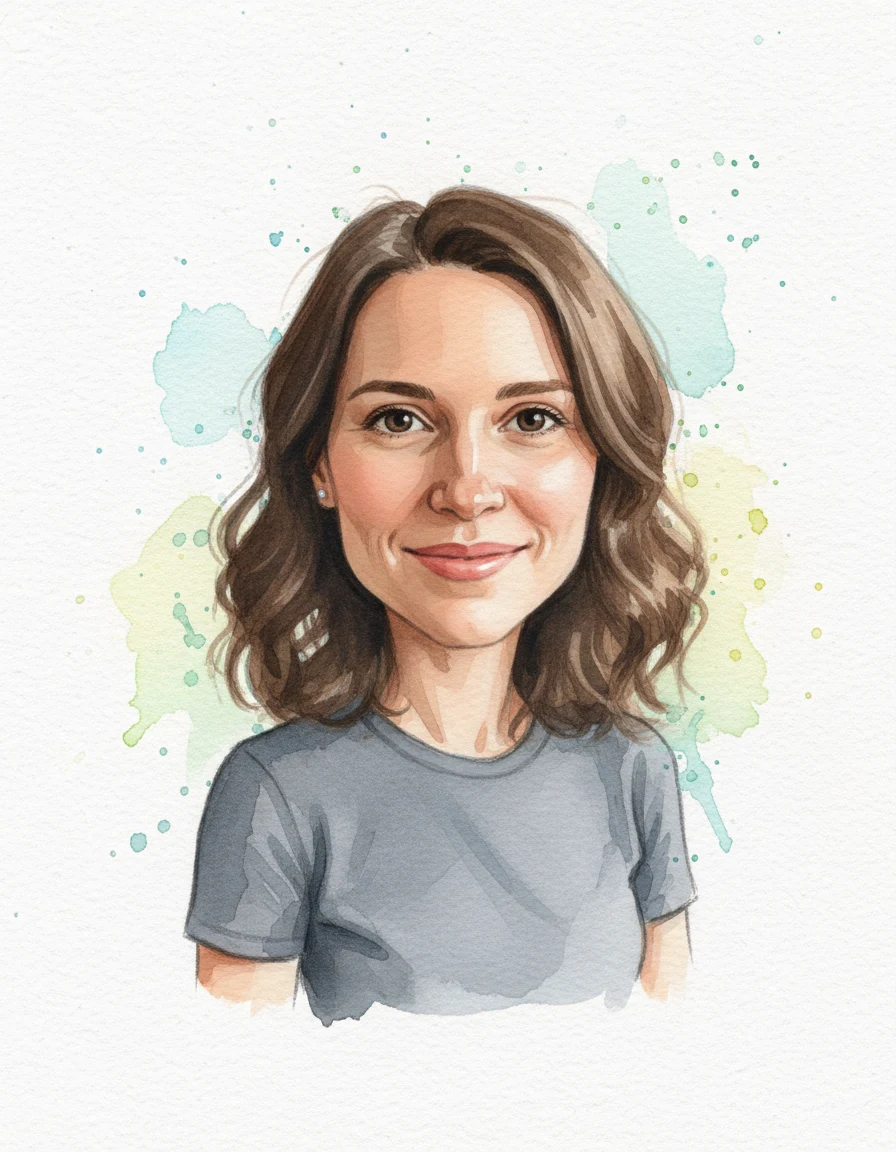
Watercolor
Loose washes on white paper with pale splashes behind the head. Soft enough for a gift card.
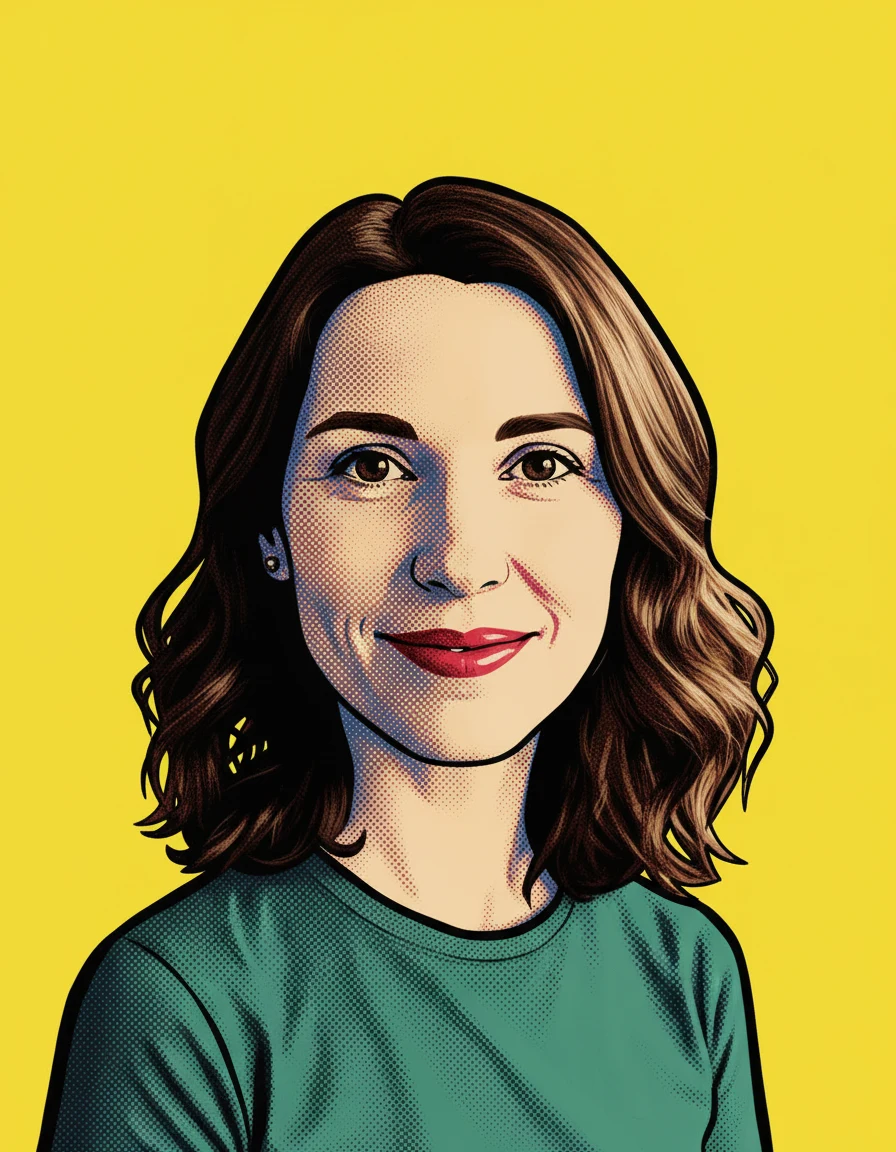
Pop art
A few loud flat colors, halftone dots and bright yellow. The boldest wall piece of the set.
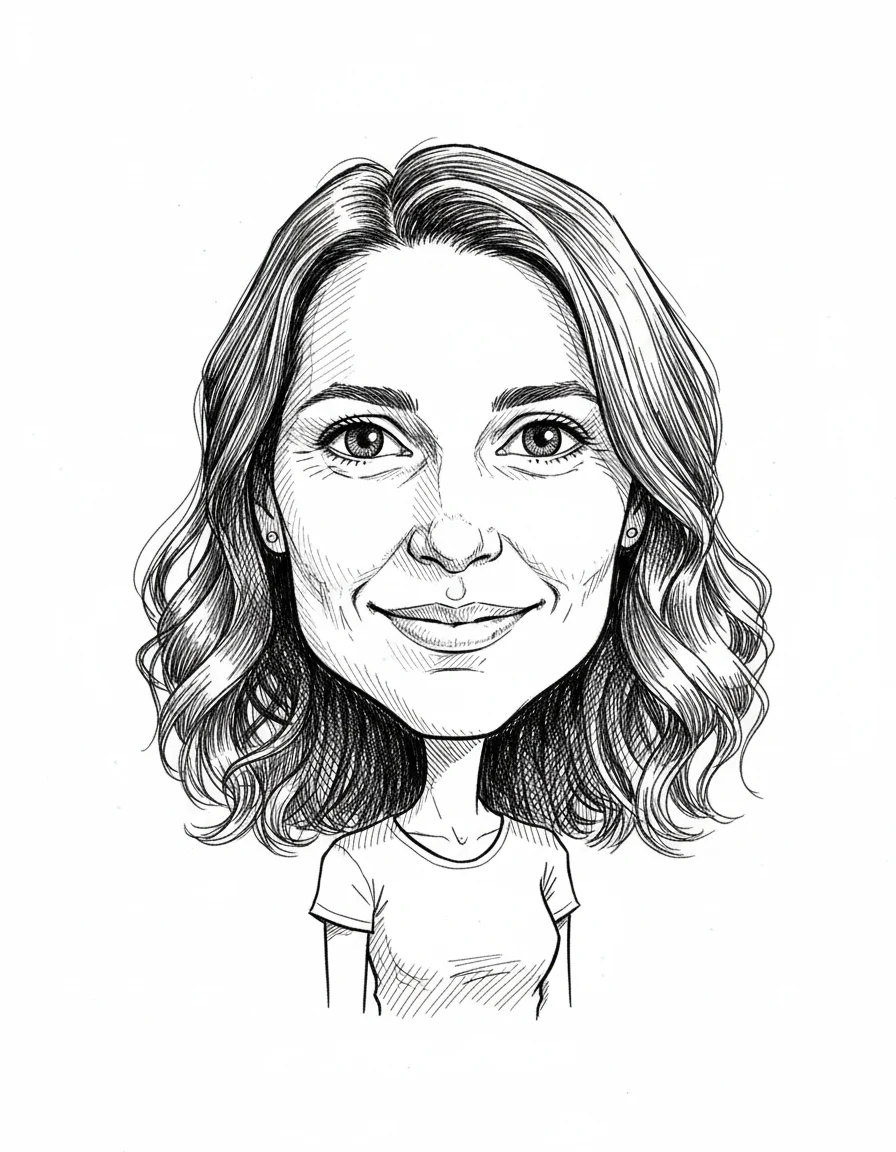
Line ink
Fine black pen lines and dense hatching on white paper, with no color at all.
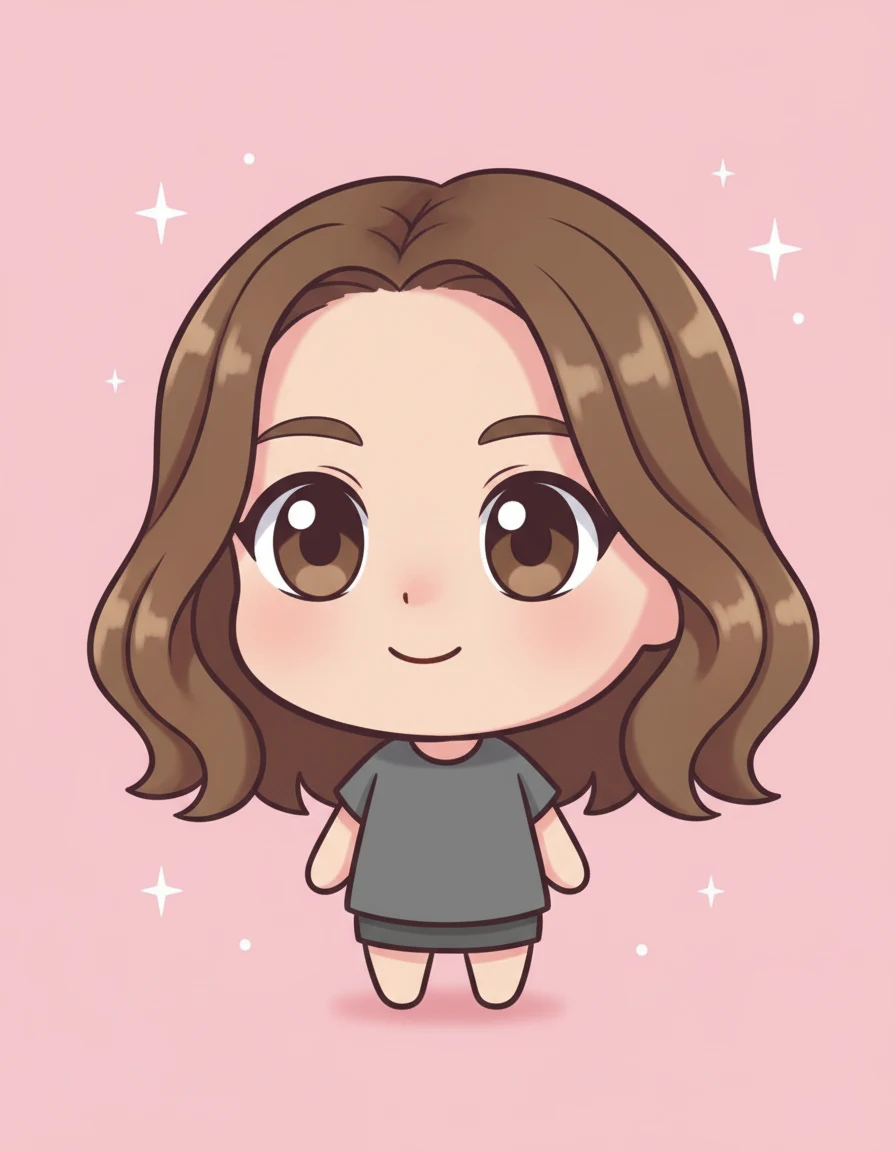
Chibi
A tiny figure with a round head and big eyes on pastel pink with small stars.
Ten styles in one AI caricature generator
Every picture below starts from the same test photo, so you can compare the styles fairly. The photo is illustrative, because an image model made it and it shows no real person. Each drawing is a real result from our own prompts.
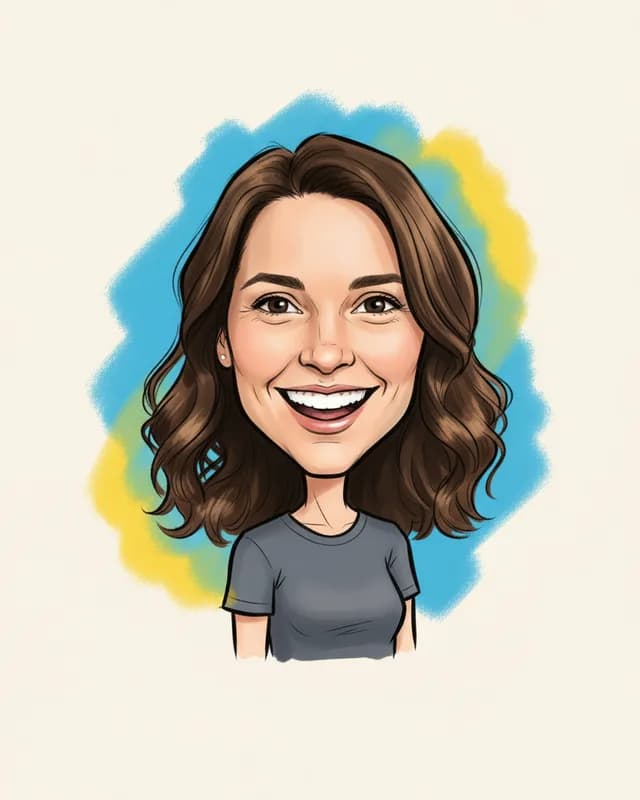 ClassicBlack marker lines, a wide grin and a blue and yellow splash on off-white paper.
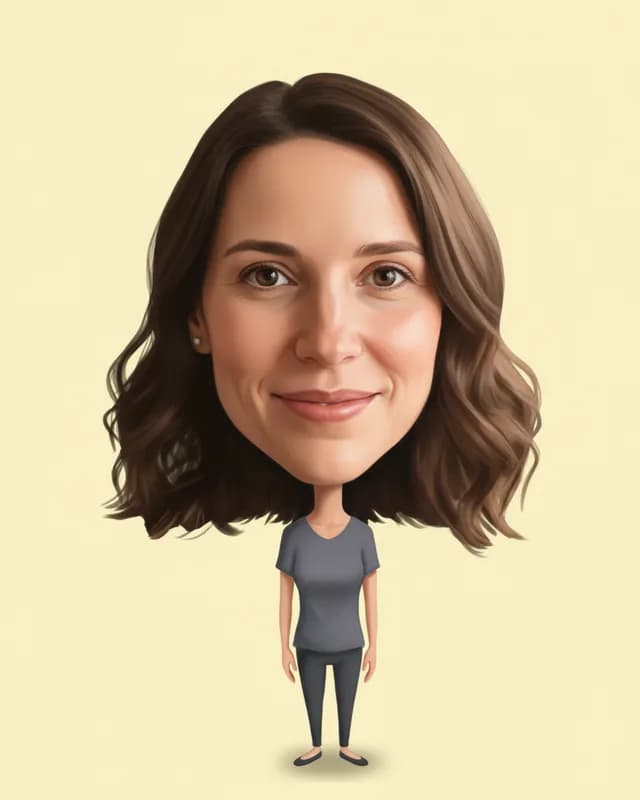 Big headA huge head on a tiny standing body, in front of pale yellow.
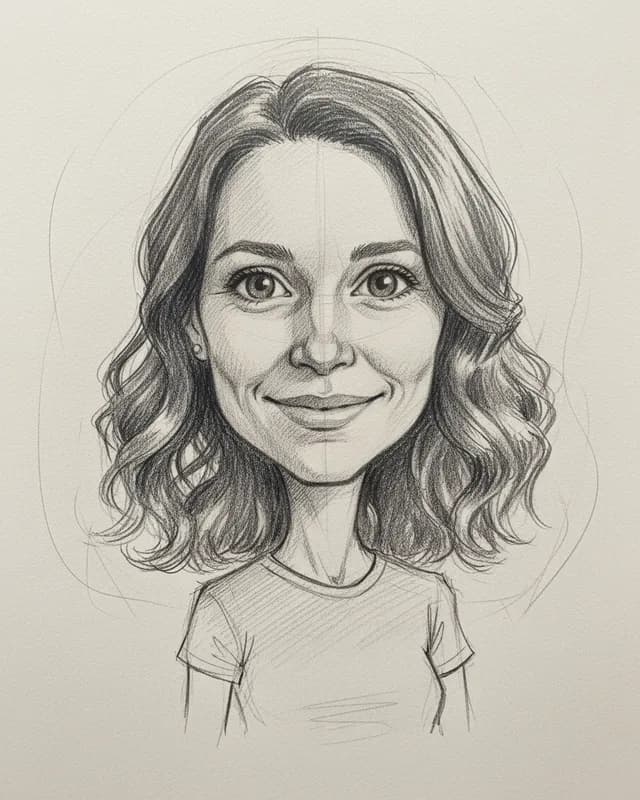 Pencil sketchGraphite on cream paper, with hatching and loose construction lines. No color.
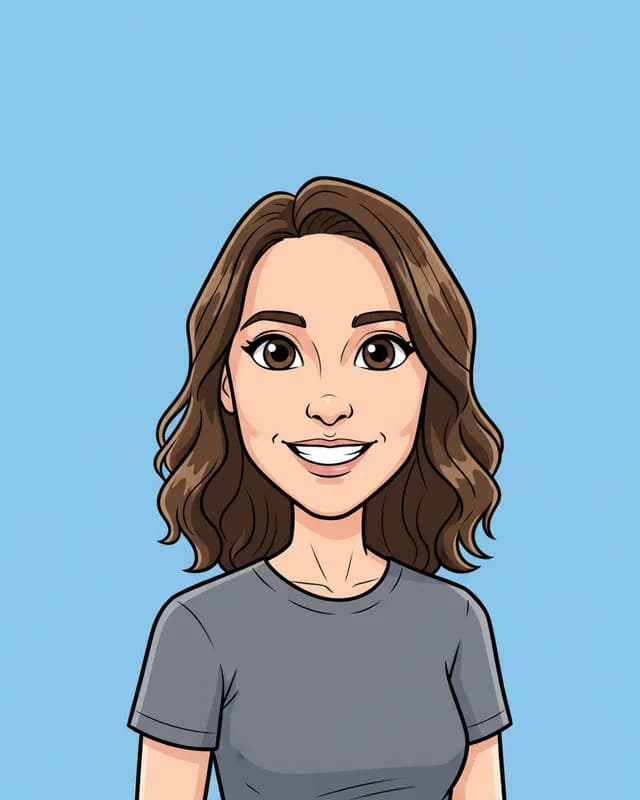 CartoonBold outlines and flat color on a sky blue background.
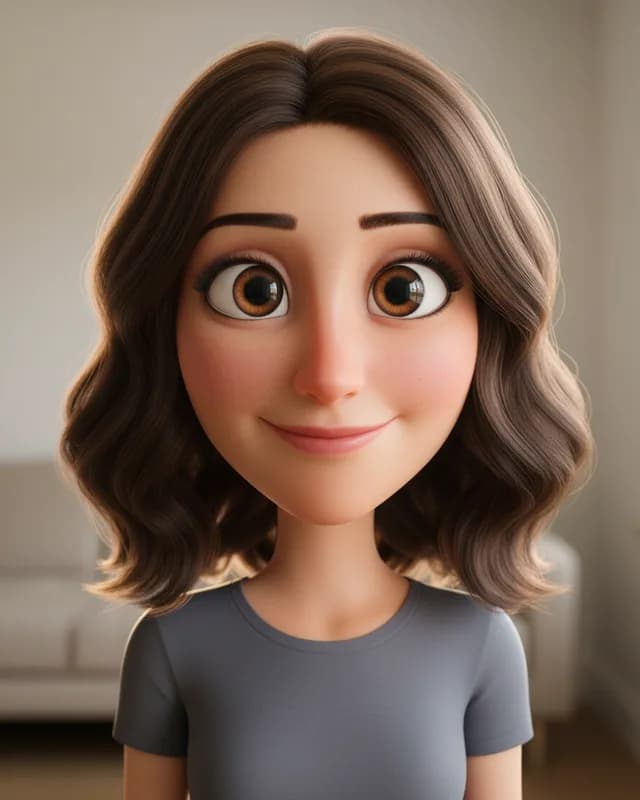 3D cartoonAn animated film look with big glossy eyes and soft light.
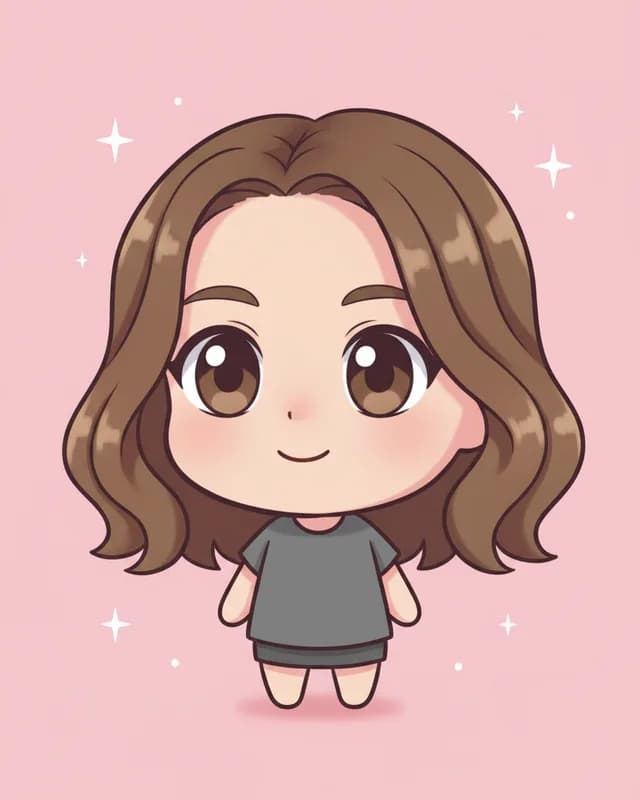 ChibiA tiny figure with a round head and big eyes, on pastel pink with small stars.
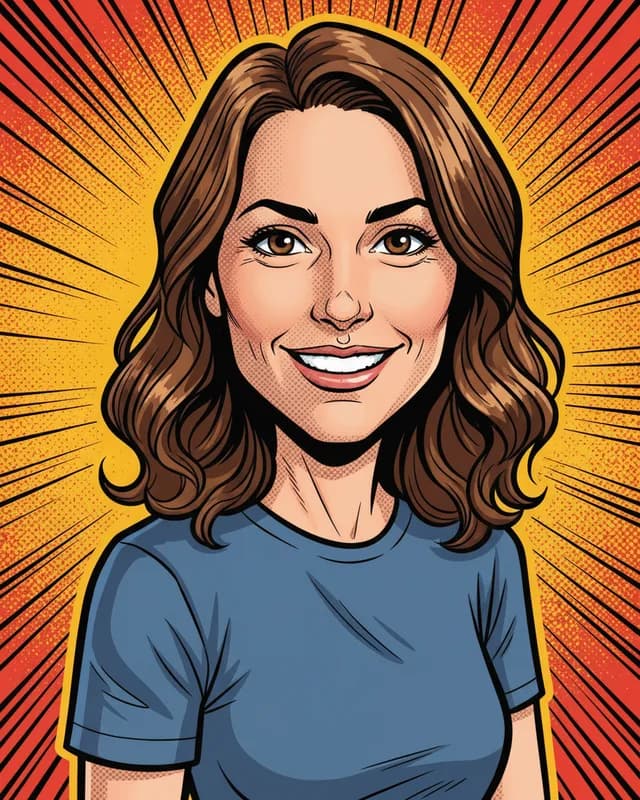 Comic bookHeavy ink, halftone dots and a burst of action lines behind the figure.
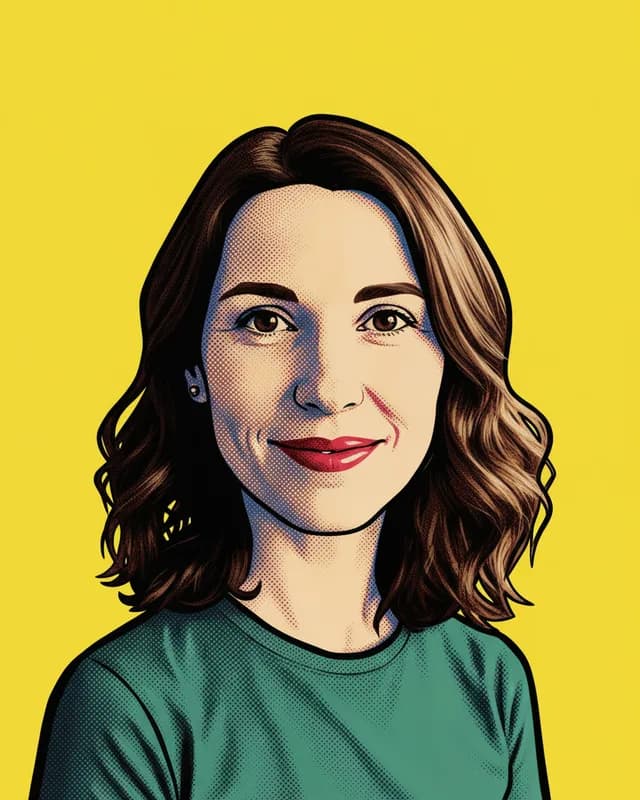 Pop artA few loud flat colors, halftone dots and a bright yellow background.
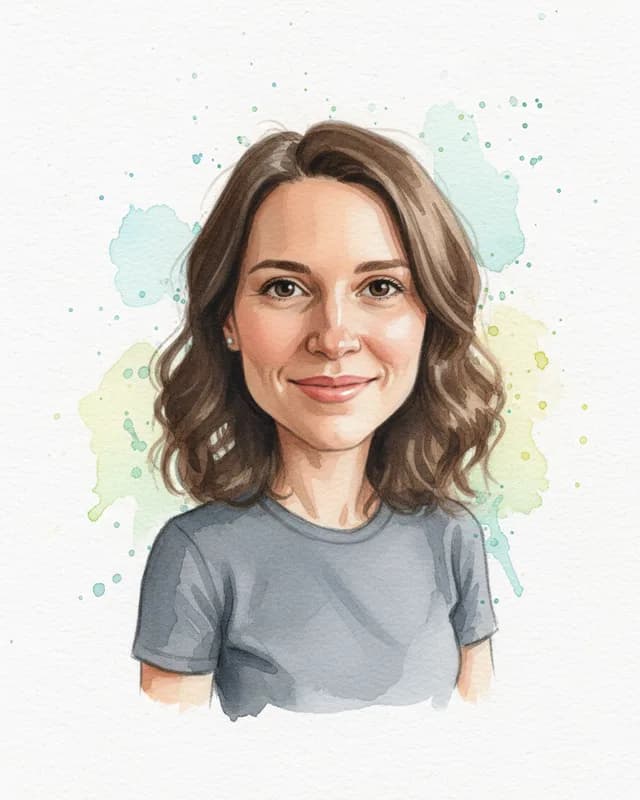 WatercolorLoose washes on white paper with pale splashes behind the head.
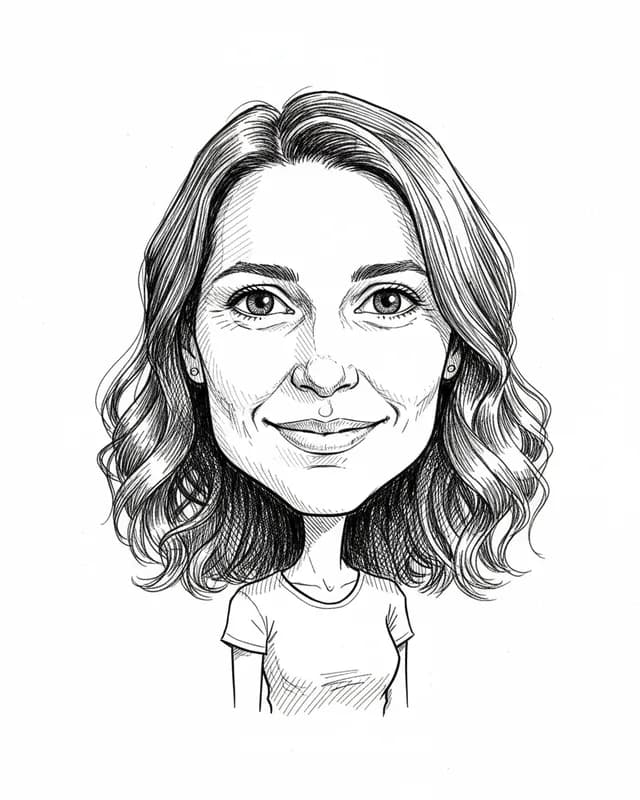 Line inkFine black pen lines and dense hatching on white paper. No color.
Some styles push harder than others. Big head and Chibi change the whole body, while Watercolor and Pencil sketch stay close to a portrait. So try a bold one and a gentle one before you choose.
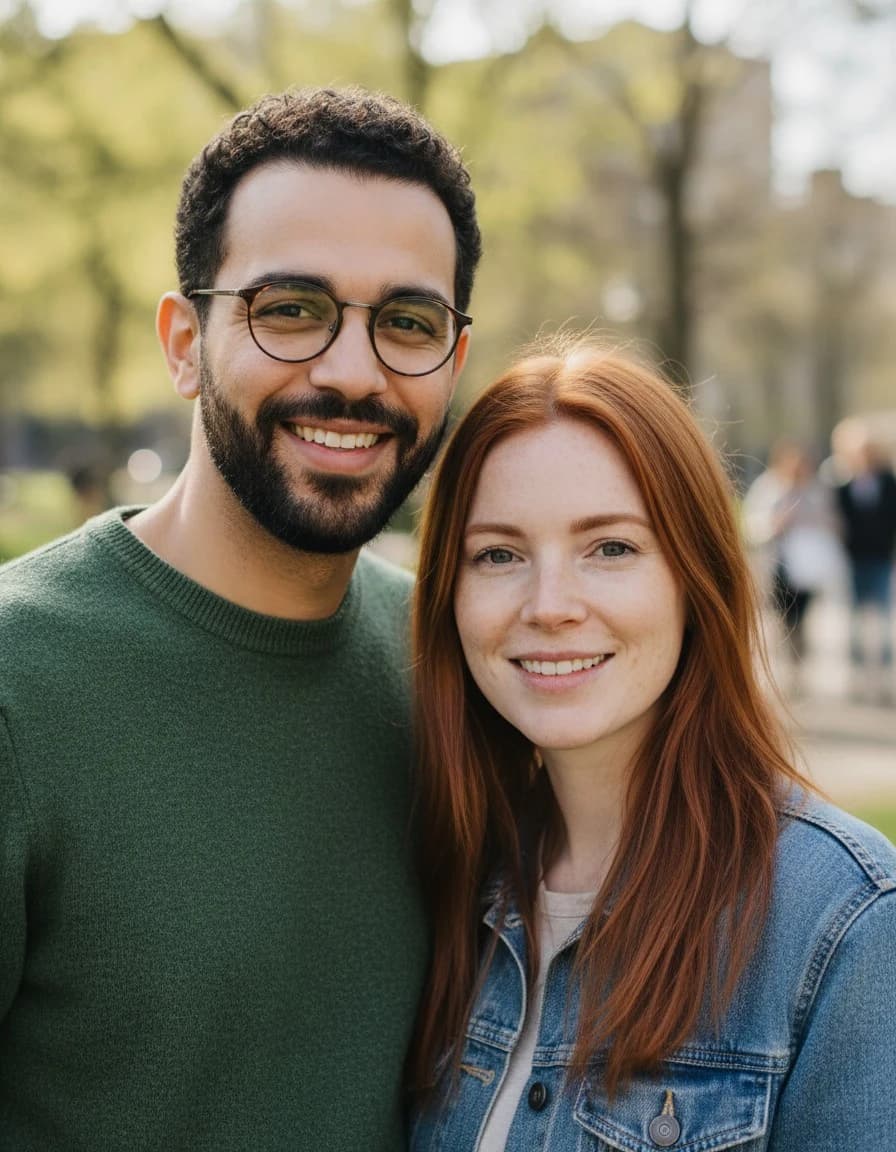
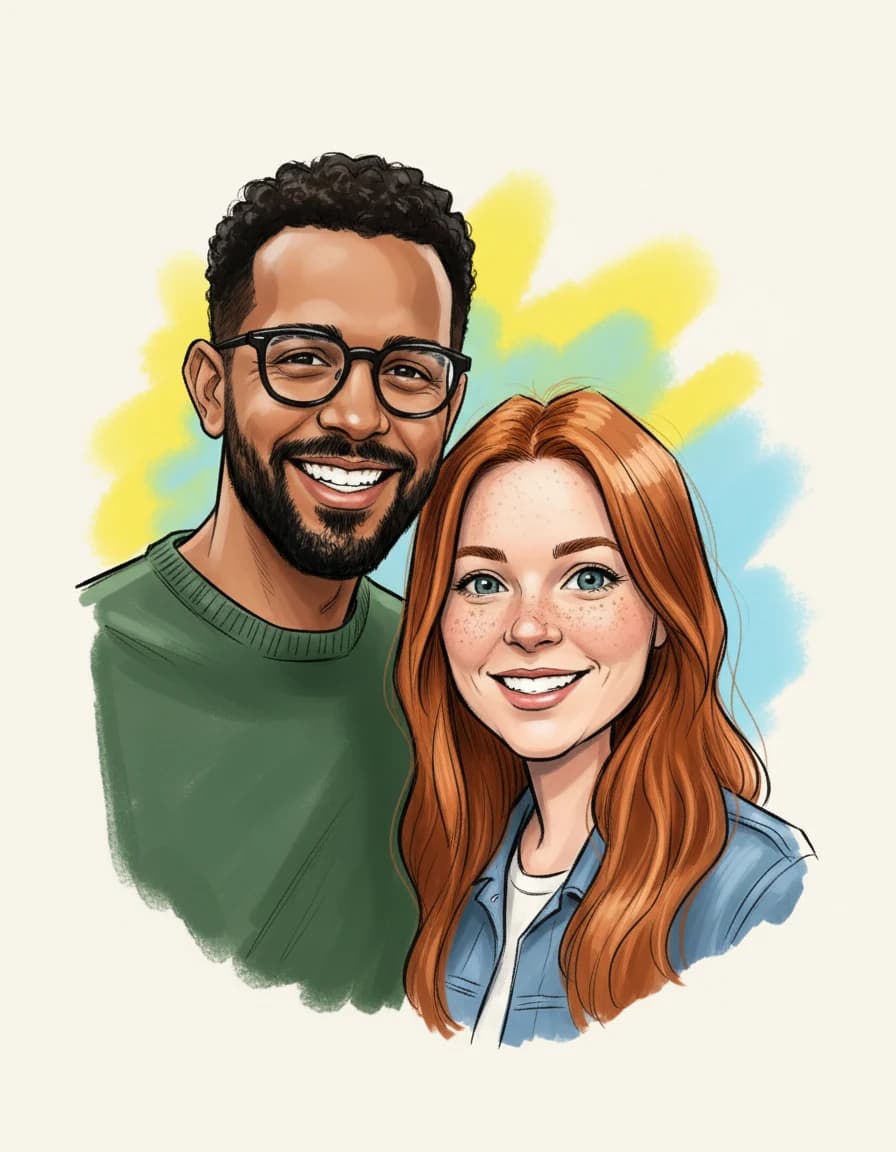
Two people, both still themselves
The couple photo went in with the Classic style and no theme. Both faces came back bigger, with the same glasses, beard, red hair and denim jacket. The paid file is 2048 x 2560 px, so it also prints sharp at 8 x 10 inches.
AI caricature generator tested with a real photo file
We sent our own test photo through the same style prompt this page uses. The person in it is illustrative: an image model made that photo, so it shows no real person. Below you can see the photo next to the caricature, so you can judge the likeness yourself.

- Test photo
- Illustrative photo of a woman, 896 x 1152 px, 131 KB JPG
- Result
- Classic caricature
- Style
- Classic
- HD file
- 2048 x 2560 px JPG
- Print size at 256 dpi
- 8 x 10 in
- Free preview
- 1024 x 1280 px, watermarked
- Made by
- gemini-2.5-flash-image
- Style prompt
- 170 words
- HD file size
- 624 KB
How we test: every style gets the same test photos, and we compare each caricature with its photo by hand. More on the about page.
AI caricature generator at a glance
| Item | Details |
|---|---|
| Upload | One JPG, PNG or WebP photo, up to 12 MB |
| People | One or two per photo |
| Styles | Ten, from Classic to Line ink |
| Theme | Optional job or hobby, up to 60 characters |
| Free preview | 1024 x 1280 px WebP with a watermark, 2 a day, no account |
| Paid file | 2048 x 2560 px JPG, no watermark, 1 credit |
| Print size | 8 x 10 inches at 256 dpi |
| Image model | Google Gemini 2.5 Flash Image |
| Your photo | Sent to the model for one request, not stored afterward |
Pick the right AI caricature generator page
Each page below explains one use in detail, so start with the picture you have in mind.
Pricing
If you only want to try a style, the free previews are enough. However, if you want a clean file for a gift or a profile picture, a pack of 10 costs $6.99. See the pricing page for details.
Free use draws your photo in any of the ten styles. Each preview is 1024 x 1280 px with a watermark, so you can check the likeness first.
Start free- Clean 2048 x 2560 files
- No watermark
- Credits never expire
- Cancel anytime
- No watermark
- About $0.17 per caricature
When this AI caricature generator is not a good choice
Sometimes another option serves you better, and we would rather say so. For a live event, hire a street artist with a marker. Guests enjoy watching the drawing happen, and no upload can replace that.
The tool also handles one or two people per photo. For a group of three or more, draw each person alone instead. It cannot promise an exact likeness either, which is why the preview comes before the payment.
In addition, the prompts ask for no text in the picture. So you cannot add a name or a caption, although small symbols may still appear on props. You get a JPG or WebP file, not a vector file.
Finally, only upload a photo of someone who agreed to it. A caricature should feel like a compliment with a wink, never like a roast.
AI caricature generator FAQ
Is this AI caricature generator free?
Yes, for the preview. You get two previews a day with a watermark, and you need no account. However, the clean 2048 x 2560 px file costs one credit.
Do I need to write a prompt?
No. Each of the ten styles has its own fixed prompt, so you only pick a look. The job or hobby box is optional and takes plain words, such as teacher or chef.
Can it make a caricature from text only?
No. The tool always starts from a photo, because the drawing has to look like a real person. The text box only adds a theme, such as a job or a hobby.
What is the caricature of me and my job trend?
It is a picture people share online: a big head, a small body and props from their work around them. Here you get that look when you type your job into the theme box.
Do you keep my photo?
No. Our server holds the photo in memory for one request, sends it to the image model and then forgets it. We store neither the photo nor the result after the response.
Which image model draws the picture?
Google Gemini 2.5 Flash Image draws it. Your photo therefore travels to Google for that one request. We add the style prompt, the size rules and the watermark.
Can I use a photo of two people?
Yes. One photo may show one or two people, and the drawing keeps the same number. For three or more people, make separate drawings instead.
Can I print the result?
Yes. The paid file is 2048 x 2560 px, so it prints at 8 x 10 inches at 256 dpi. We deliver the digital file only, and printing stays with you.